






A month with the iPhone Duo has changed how I use my phone
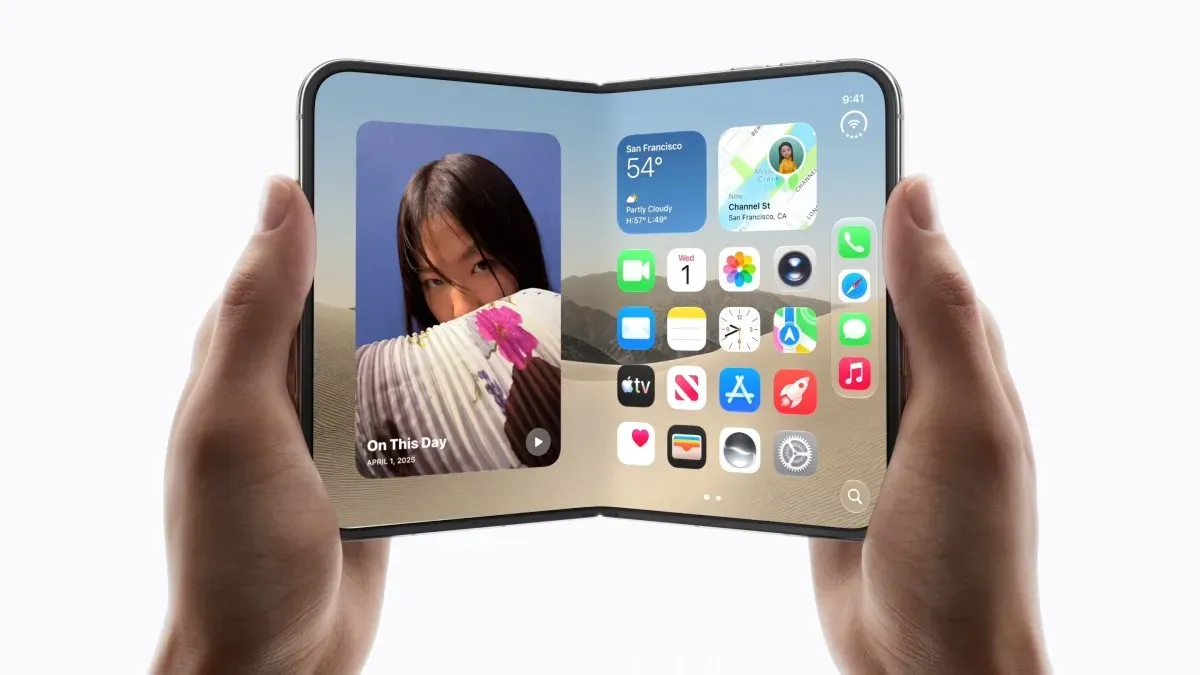
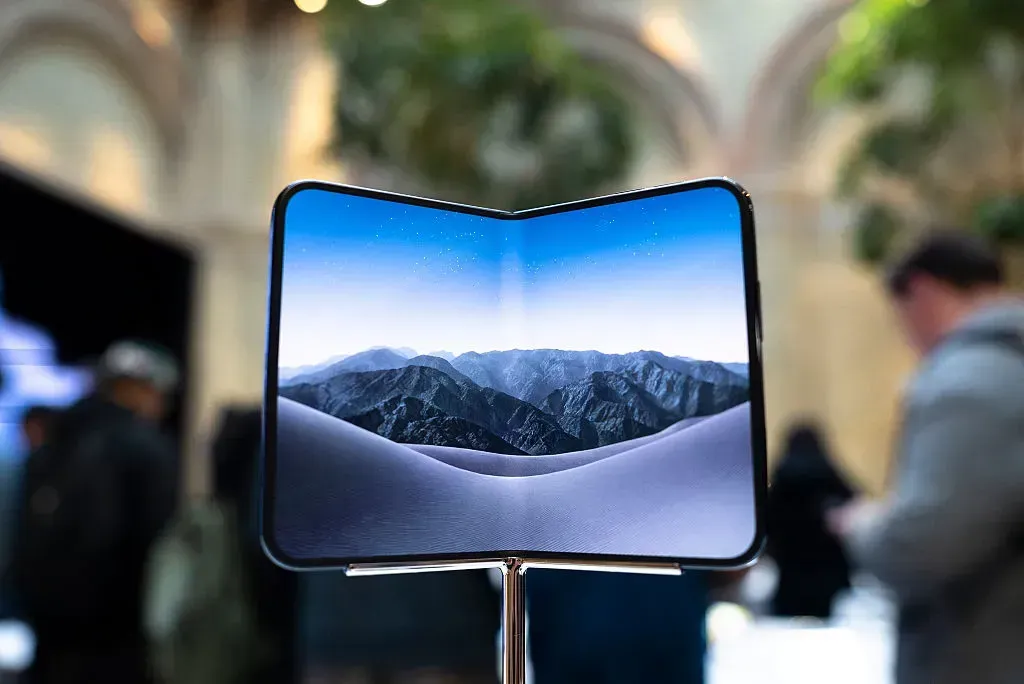
The iPhone Duo offers a fundamentally different smartphone experience that may sacrifice some traditional high-end features.
A new breed of premium smartphones is challenging traditional notions of what makes a high-end device.
For years, phone enthusiasts have prized cameras, processors, and sleek designs as the hallmarks of a top-of-the-line smartphone experience. However, the iPhone Duo flips this concept on its head by asking consumers to pay more for a fundamentally different experience that may sacrifice some of these traditional "high-end" features.
In the past month, I've used the Duo extensively and found that my initial concerns about trade-offs have largely dissipated. What's been particularly striking is how the Duo's innovative foldable design has altered my daily habits, from interacting with apps to organizing and personalizing the phone itself.
I was initially worried about giving up certain features when switching to the Duo, but many of these concerns have proven unfounded. Most apps are now optimized for the Duo, I've relearned how to use Touch ID, and I rarely miss the Pro Max camera's advanced capabilities.
While the Duo is not without its shortcomings, I've discovered that the benefits of its unique design far outweigh the compromises I've made. For instance, despite missing the telephoto lens on occasion, I'm no longer pining for it as much as I thought I would be.
In fact, after a month with the Duo, I've found myself appreciating its multitasking capabilities more and more. At first, I wasn't convinced that I'd regularly use the side-by-side mode to view two apps simultaneously, given the limited screen space even when the phone is unfolded.
However, Apple's implementation of this feature has proven to be surprisingly intuitive and easy to use, simply dragging an app over to one side of the screen and dropping it into a target box makes quick work of multitasking tasks.
I've been using this feature extensively to keep multiple apps open at once. For example, I often have X open while reading through news articles, allowing me to switch between the article and real-time reactions with ease.
Additionally, keeping email or Slack open on the side while working on another task has become a common practice for me, it's amazing how often important messages or notifications can slip by if you're not paying close attention.
As I continue to use my iPhone Duo as my primary device, I've noticed a significant shift in how I consume social media. Gone are the days of passively scrolling through feeds while watching TV; now, everything is happening on one screen.
This new behavior has me reminiscing about interactive TV experiences where commentary and content are combined. It's almost as if we're witnessing the evolution of second-screen viewing, but this time, it's all happening in real-time.
When I'm out and about, the Duo feels surprisingly compact despite its slightly heavier build. Its small screen makes it easy to navigate with one hand, type with a thumb, or even fit into my front and back pockets.
The Pro Max now seems enormous compared to the Duo's sleek design. I find myself wondering how I ever managed to handle that massive rectangle in my hand without feeling overwhelmed.
The Duo's smaller screen has its advantages when it comes to short interactions like responding to texts or checking directions on the go. It encourages me to engage with the world around me, rather than mindlessly scrolling through apps.
However, when I have more time to spare, unfolding the screen allows me to enjoy my favorite apps in a larger format. This setup has become an intuitive part of my daily routine.
I often unfold the Duo when preparing to watch videos or browse shopping websites. The larger screen is perfect for examining product details or completing checkout forms with ease.
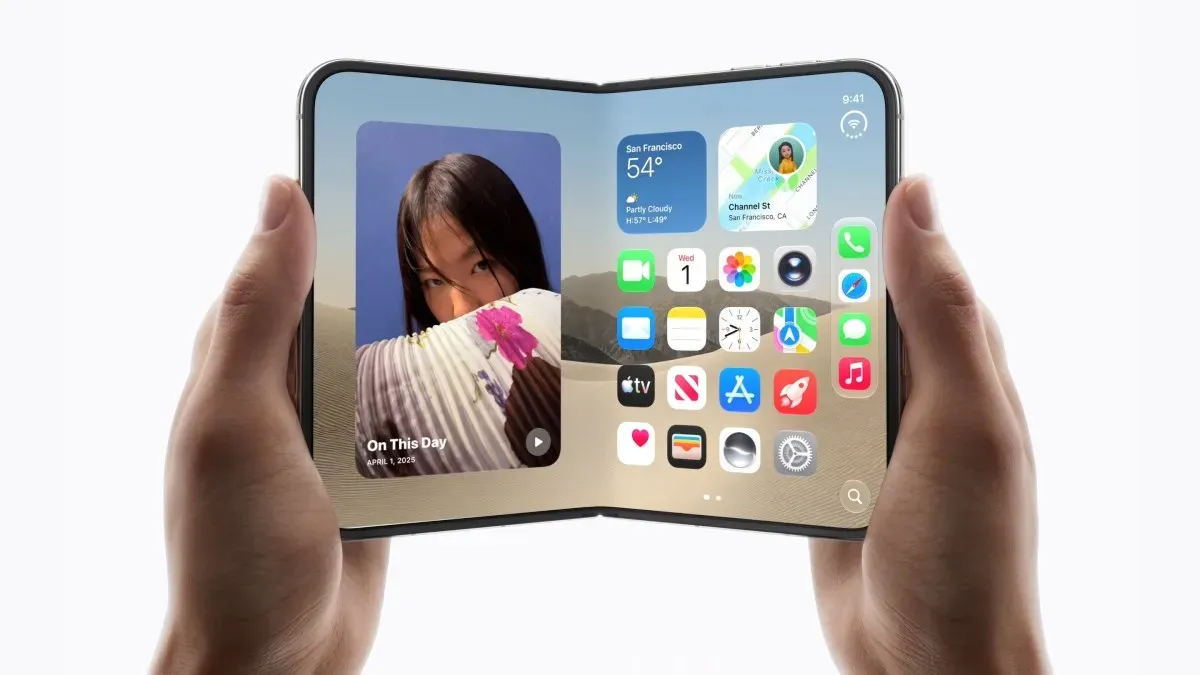
Unfolding the phone also enables me to rethink my Home Screen layout. With the small screen, I prefer a minimalistic approach, showcasing key information like weather and battery life through widgets.
Meanwhile, only essential app icons are displayed on the dock, freeing up space for a clutter-free experience when the Duo is in its compact form.
The majority of my daily drivers have been updated to support the iPhone Duo's foldable form factor, making them compatible with its unique design.
Over 200,000 apps are now optimized for the Duo, according to Apple's mid-November announcement, and I've found this to be true in my experience so far.
Most of these updated apps take advantage of the available space on both the small front screen and the wider unfolded one.
Some developers have used the Duo's form factor as an opportunity to introduce novelty into their apps, creating experiences that are unlike anything else out there.
A note-taking app, for instance, opens and closes like a notebook, allowing users to write on virtual pages with the Apple Pencil.
Other apps have also incorporated similar ideas, such as a retro-style music player and a tiny typewriter that lets users type on a small keyboard.
Some apps, however, feel more intuitive when used on the unfolded screen, where they can spread out and take advantage of the extra space.
Spotify is one example of this, feeling less cluttered when it has more room to display its features.
A number of note-taking, list-making, and calendar apps also benefit from being able to stretch out across a larger area.
The iPhone Duo's versatility has transformed my daily social media routine. Apps like TikTok and Instagram have been optimized for use on the device, whether it's open or closed. When folded, these apps now seamlessly adapt to the available screen space.
One notable improvement is the way scrolling through short-form videos works on the Duo. Unlike before, when a black bar would interrupt the video, the content now stretches across the entire display. This makes for an enjoyable viewing experience that rivals its larger tablet counterparts.
Reading books has become a new favorite pastime on my iPhone Duo. While it's not as effective as a dedicated e-book reader, the device offers a surprisingly pleasant reading experience when unfolded. The matte inner screen is less distracting than a typical smartphone display, providing a calmer environment for engaging with text.
When holding the Duo vertically and in focus mode, I find that it closely resembles the standard Kindle experience. Notifications and messages are minimized, allowing me to fully immerse myself in the book's content.
The Duo can also be used in landscape orientation while still being unfolded, creating a unique reading experience that mimics turning pages in a physical book. Additionally, using an app like Book2Life or Actually Read adds an extra layer of realism by displaying the book cover on the outer screen as you read the text.
Carrying one less device has become a reality for e-book enthusiasts since the Duo can now serve as a substitute for their Kindle or other reader. This is especially convenient when traveling, as it eliminates the need to worry about damaging or losing an expensive phone.
The iPhone Duo's shape and weight make it easier to hold in one hand compared to larger devices like the 17 Pro Max. Its size may be comparable, but its design allows for comfortable grip and reduced fatigue during extended use.
The Duo's versatility has also led me to reduce my reliance on other accessories like PopSockets, which were previously necessary due to the weight and size of my previous phone.
Overall, the iPhone Duo's innovative features have significantly impacted how I interact with various apps and activities on my device. Its ability to adapt to different use cases has made it an indispensable tool in my daily life.
The iPhone Duo's unique design has led to a new trend in phone personalization.
When folded, users can hold it like any other smartphone, but when unfolded, the Duo becomes a compact device that requires both hands for navigation.
This shift in form factor also eliminates the need for balancing accessories like PopSockets, as the Duo can be propped up or opened like a tiny laptop. Apple and third-party vendors offer cases with built-in stands for added convenience.
For those who still prefer to use a PopSocket, there are slimmer options available from the brand itself, called Low-Pro Grip. Other alternatives include OhSnap grips, which offer a similar functionality.
The Duo's design has seemingly sparked a new wave of creativity in phone customization, as evidenced by the diverse array of cases now available.
Unlike traditional iPhone cases that merely provide protection based on material choice, the Duo case lineup offers far more variety and flexibility.
Users can choose from cases with or without built-in screen protectors, some of which use adhesive for better grip while others don't. The options also include customizable bands around the outer screen in different colors.
Some cases leave the hinge exposed, while others cover it entirely. There are even cases that offer attachment points for straps, wristlets, and charms on both the bottom and sides.
The variety doesn't stop there, some cases come with whimsical touches like attached pens, a welcome respite from the more minimalist designs previously seen.
This explosion of creative possibilities has undoubtedly contributed to the Duo's growing popularity among users.
The iPhone Duo's compact design and versatility have made it an attractive option for many users, particularly women who appreciate its portability and fashion appeal.
Its small size allows users to easily attach a strap, transforming it into a stylish accessory that can be carried like a purse. This trend of personalizing phones with charms and chains has gained popularity among young people seeking to express their individuality through technology.
The Duo's design lends itself well to this aesthetic, making it a desirable accessory rather than a discreet device buried in a bag.
Facts based on reporting originally published by TechCrunch.
You may republish this story, in full or in part, if you credit Noti Group and link to it (licence CC BY 4.0). Photos are not included.