Noti.Group RSS Feed
  • Contact Us
Tuesday, March 17, 2026
Noti Group Logo
  • Home
  • World News
  • Business
  • Health
  • Sports
  • Entertainment
No Result
View All Result
  • Home
  • World News
  • Business
  • Health
  • Sports
  • Entertainment
No Result
View All Result
Noti Group
No Result
View All Result
ADVERTISEMENT

How to scan a QR code with your phone

in Technology
Reading Time: 7 mins read
407 4
A A
0
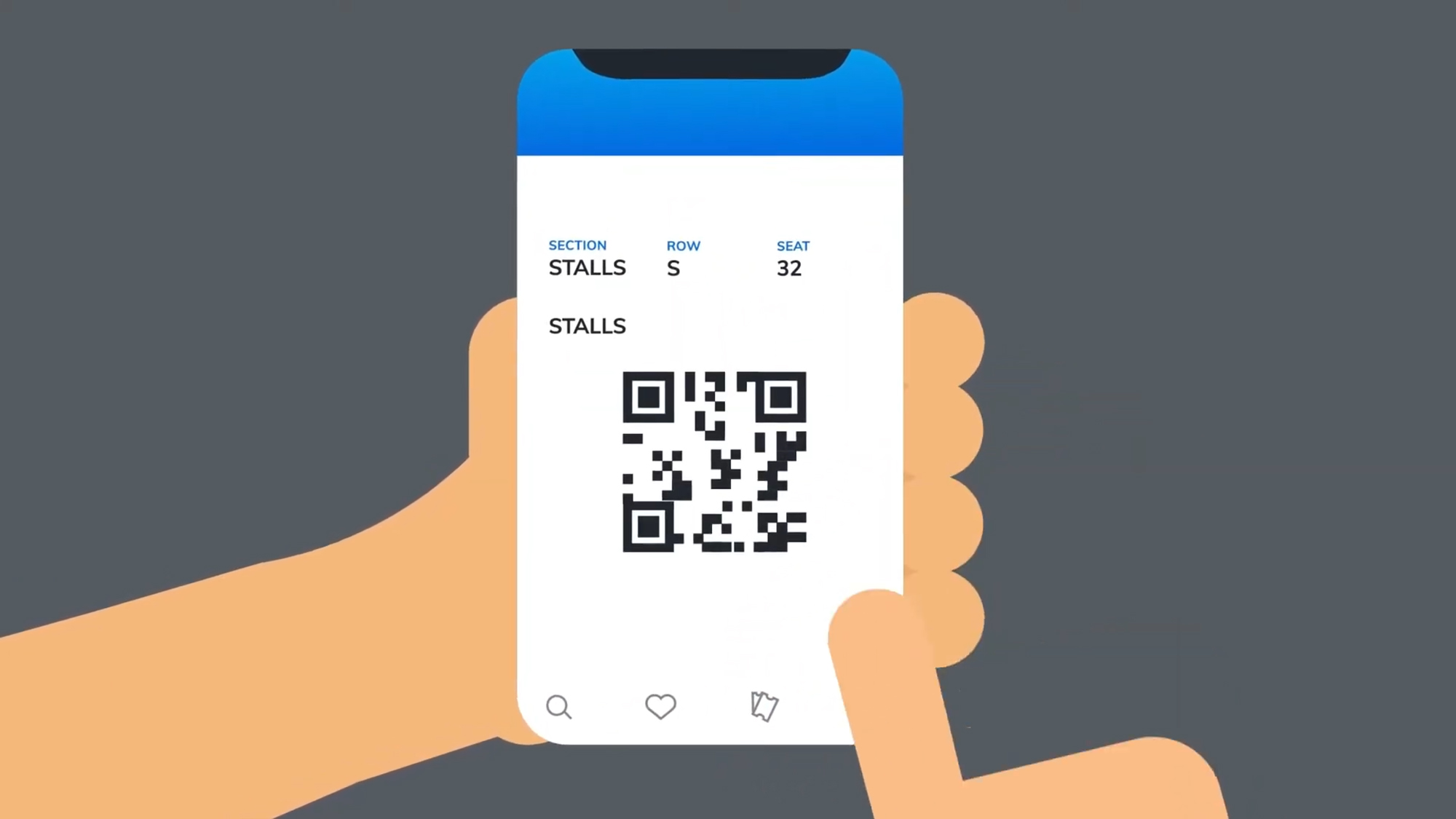
Cartoon hands holding a phone with a QR code and the word Stalls
137
SHARES
6.9k
VIEWS
ShareShareShareShareShare

The humble QR (or Quick Response) code has become ubiquitous. Invented back in the 1990s to scan car parts, the barcodes got a popularity boost during the pandemic when touchless tech became prioritized, and they’re now a regular part of daily life.

You’ll find them deployed to help you order food, connect to Wi-Fi, shop online, access tickets, prove your identity, and much more besides. They can either store information (about 3KB’s worth), or redirect you somewhere (like a website or an app page).

If you come across a QR code you want to read, you’ve got everything you need right on your phone.

Event tickets are one use of QR codes.
Screenshot: Ticketmaster

QR codes contain a small amount of data, typically under a hundred alphanumeric characters for the codes you’ll most often see day to day — although QR codes can get larger and more complex if more information needs to be stored. They can also have error correction built in, which adds to the size but means they’ll still work if part of the code is obscured or damaged.

A phone camera or other scanning device can read the information in a QR code, with the help of the three finder patterns at the corners: They tell the scanner where the QR code is, how big it is, and how it’s rotated. (A geeky aside: the 1-1-3-1-1 layout of these finder patterns was chosen because it’s not often used in printed media.)

With just a few dozen characters to play with, there’s not enough room for an image or an essay, but QR codes can fit in website addresses, contact details, and login credentials for a Wi-Fi network. When it comes to such things as stadium tickets or boarding passes, the QR code can have an unique embedded token that’s checked against a database to prove you are who you say you are.

QR codes can also be used to try to scam you, often by directing you to a fraudulent website which will then attempt to trick you into revealing personal or payment information. Your phone browser’s built-in security should catch and block a good number of these phishing attacks, but be wary of QR codes stuck in random public places, on suspicious websites, or that seem to have been tampered with.

Two screenshots: on the left, one from Google Lens showing a QR code for wikipedia, below which is a popup headed Ask about this image. Right, a QR code with a drop-down menu headed Open in Safari with other choices.

Left: Scanning a QR code using Google Photos with Google Lens. Right: Scanning a QR code using Apple Photos.
Screenshots: Google / Apple

Native QR code scanning has been built into phone cameras since Android 8 and iOS 11 (both from 2017), so you’re not going to have any problem reading a QR code on a modern smartphone — no additional app required. All you need to do is open the camera app on your phone and point it at the QR code.

Assuming the lighting is good enough and the focus is clear enough (tapping on the code in the viewfinder may help here), you should see a link appear underneath the code. Tap this link to head to the website or app page the QR code is pointing to. What happens next will depend on the code: it might take you to a menu page for a restaurant, for example, or to a contact card.

If you think you might need a QR code again, you can save it by taking a photo of it. In Google Photos, you can read a QR code in a saved image by opening it and tapping the Google Lens button (the one that looks like a digital camera). In Apple Photos, open the saved image and tap the Live Text button (horizontal lines with a border around them). You can then tap on the QR code to head where it’s pointing.

A variety of third-party QR code scanner apps are available, but I wouldn’t recommend using one unless you specifically need extra functions. These apps offer features like the ability to scan different barcode types, to save QR codes you’ve scanned, or to create your own QR codes, but they’re often stuffed with ads, and usually pester you into buying a paid subscription. If you just want to create a QR code, a good (and relatively safe) place to start is Adobe’s free online QR code generator.

[Notigroup Newsroom in collaboration with other media outlets, with information from the following sources]

Tags: appsHow toTech
Previous Post

Mythic Quest’s original series finale has been pulled

Next Post

Martha Stewart takes dig at Katy Perry after Blue Origin flight

Related Posts

The Beats Studio Pro are nearly $200 off ahead of Amazon’s big spring sale
Technology

The Beats Studio Pro are nearly $200 off ahead of Amazon’s big spring sale

March 17, 2026
Now everyone in the US is getting Google’s personalized Gemini AI
Technology

Now everyone in the US is getting Google’s personalized Gemini AI

March 17, 2026
Antigravity’s 360-degree A1 drone is 15 percent off
Technology

Antigravity’s 360-degree drone is 20 percent off ahead of its next update

March 17, 2026
Intel announces Core Ultra 200HX Plus CPUs for high-end gaming laptops
Technology

Intel announces Core Ultra 200HX Plus CPUs for high-end gaming laptops

March 17, 2026
Load More
Next Post
Martha Stewart takes dig at Katy Perry after Blue Origin flight

Martha Stewart takes dig at Katy Perry after Blue Origin flight

No Result
View All Result

Recent Posts

  • Islanders sign Kashawn Aitcheson to entry-level contract
  • The Beats Studio Pro are nearly $200 off ahead of Amazon’s big spring sale
  • Colts signing Notre Dame basketball player Carson Towt
  • How to watch Texas-NC State in March Madness First Four for free
  • Popular Brooklyn BBQ restaurant fights back against steep delivery app commissions

Recent Comments

  • Stefano on The Last Byzantine Medieval Town on Earth Is Being Destroyed, and It’s Too Late
  • Van Hens on The Last Byzantine Medieval Town on Earth Is Being Destroyed, and It’s Too Late
  • Ioannis K on The Last Byzantine Medieval Town on Earth Is Being Destroyed, and It’s Too Late
  • Panagiotis Nikolaos on The Last Byzantine Medieval Town on Earth Is Being Destroyed, and It’s Too Late
  • John Miele on UK government suggests deleting files to save water

Noti Group All rights reserved

No Result
View All Result
Noti Group

What’s New Here

  • Islanders sign Kashawn Aitcheson to entry-level contract
  • The Beats Studio Pro are nearly $200 off ahead of Amazon’s big spring sale
  • Colts signing Notre Dame basketball player Carson Towt

Topics to Cover!

  • Business (4,752)
  • Entertainment (1,866)
  • General News (326)
  • Health (327)
  • Investigative Journalism (11)
  • Lifestyle (4)
  • Sports (8,196)
  • Technology (6,097)
  • World News (1,336)
  • Contact Us
  • Terms and Conditions
  • Privacy Policy
  • RSS
  • Contact News Room
  • Code of Conduct
  • Careers
  • Values
  • Advertise
  • DMCA

© 2025 - noti.group - All rights reserved - noti.group runs on 100% green energy.

Welcome Back!

Login to your account below

Forgotten Password?

Retrieve your password

Please enter your username or email address to reset your password.

Log In
No Result
View All Result
  • Home
  • World News
  • Business
  • Health
  • Sports
  • Entertainment

© 2025 - noti.group - All rights reserved - noti.group runs on 100% green energy.