We are living through what can charitably be called interesting times, and one of the questions that many people are asking is: “What can I do?” One answer to that question — no matter what side of the political spectrum you fall on — is to contact your federal or local representatives and let them know how you feel, via social media, texts, emails, or phone calls.
Even if you (like me) can get a little nervous about actually calling your government representatives, that shouldn’t stop you from letting the people you voted for (or against) know what their constituents are thinking. And there are several online sites and mobile apps that can help, by letting us who to contact, helping us know what the issues are, or actually offering a script to follow when we make that call.
Here are some resources that you can use in order to contact your representatives on issues that concern you.
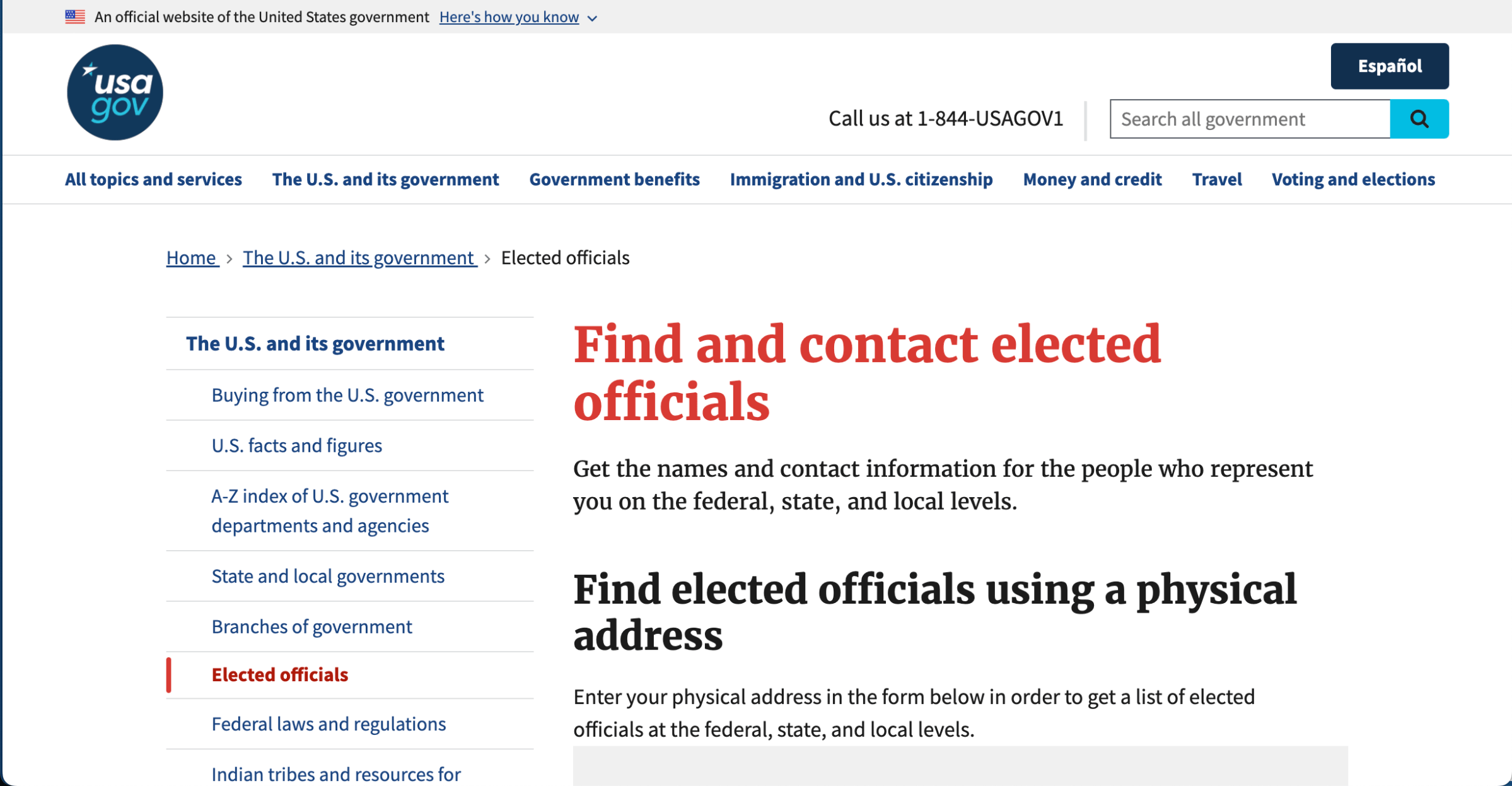
The best place to start is probably from the source: the USA.gov site. This site (which was still active at the time of this writing) lets you enter your address in order to find out who your federal, state, and local officials are. Once you’ve got the list, you can click on each name to find out their party affiliation, main address, phone number, email address, web site, and contact info for Facebook and X. You can also click on a button to immediately send an email.

To find information about what’s going on in Congress, a good place to start is Congress.gov, where you can get a rundown of when every bill is introduced, passes the House, passes the Senate, goes to the President, and is finally signed — assuming it gets that far. You can see a summary of each bill, the actual text, the official title, any proposed amendments, the co-sponsors, the associated committee, and any related bills. You can also find related resources, and you can send feedback on the bill to your senator or congressional representative. In other words, this is a great resource for knowing exactly what your reps are working with.

A less formal educational source, and one not actually sponsored by the government, GovTrack asserts that “We’re tracking the activities of the United States Congress to help you be the best advocate for the issues you care about and to create a more open and accountable government.” The site, which launched in 2004, lets you know what bills are coming up, what is trending, and which are being tracked by people using the site. It also lets you know about recent votes in Congress, including small charts showing how many Republicans and Democrats voted for a particular issue. There is a page of analyses of what is going on, and what to expect. And you can create a tracker list for specific bills or members of Congress — so while GovTrack.us doesn’t offer a direct way to contact your representatives, it gives you a good deal of information to talk to them about.

Democracy.io is a basic web site that says it just wants to make it easier for people to send email to their representatives. You put in your address, and you are given a list of your federal representatives: your senators and your congressional representatives. You check the ones you want to contact, and you’re given a form where you can put in a title, a message, your name and contact info, and a drop-down list of the topic you’re writing about (which can vary, depending on the specific representative). And that’s it! No fuss, no muss.

The motto of the 5 Calls app is “Make your voice heard: Spend 5 minutes, make 5 calls.” Available for both iOS and Android phones, the purpose of this app is to make it easier to call your representative’s office, which it asserts is much more effective than emails or texts. (Note: 5 Calls does lean distinctly to the political left.)
You start by entering your address or zip code to establish who your representatives are. This leads to a list of the top issues of the day, which you can filter by topics such as gun safety, immigration, or government oversight. Once you choose a specific issue, you are provided with a brief backgrounder, together with a list of which representatives you should call. Select a name, and you get a phone number to click on along with a complete script to read from. Once you’ve made your call, you can let the app know if nobody was available, if you left a voicemail, or if you made contact.
I used 5 Calls to phone my representative, and left a message with a staffer, following the script and then adding a comment or two of my own. As someone who is not comfortable calling political officials, this was, for me, a victory. And if you’re really not comfortable talking to strangers on the phone? The app suggests that you call after working hours and leave a voicemail instead.

Resist.bot lets you, according to its description, turn “your texts into faxes, postal mail, or emails to your representatives in minutes.” In other words, the idea is to make it as simple as possible to send out your concerns.
You start by sending the word “resist” via Apple Messages, Messenger, Instagram, or Telegram, or via text. Once you’ve made contact, you’re given the choice of typing a letter, using AI to write a letter (the app uses Copilot), signing a petition or contributing to the app for faxes and postage.
I chose AI, and it asked for a link to a related news article, opinion piece, or congressional bill. It then asked for my position on the issue, and after a minute or two, created what looked like a PDF of an email. Unfortunately, it was a bit difficult to read in Messenger — the app then said I could reply with any desired changes or tap “Good.” A little nervous about sending the AI-generated email, I backed out by typing “Stop,” and was given the chance to try again or type something manually. I chose the latter, told it I wanted to send it to my senators, and was invited to start typing.
Once my text was ready, I was asked for my name (first, last), phone number, address, and to select between sending it via first class mail or fax (each of which cost a number of “coins”), or email (which was free). A little while later, I got a text with a copy of what was sent. It’s a fine idea, but in the end, the awkwardness of using text turned out not to be a fast or simple process. (It’s possible that using a different app like Instagram to send the text might prove easier.)
Of course, contacting your elected representatives doesn’t rule out other modes of protest or communication. But if we expect our representatives to, well, represent us, we need to make sure they know how we feel about the issues of the day. And any tool that helps us do that is welcome.
[Notigroup Newsroom in collaboration with other media outlets, with information from the following sources]