Adobe’s Project Indigo is a camera app built by camera nerds for camera nerds. It’s the work of Florian Kainz and Marc Levoy, the latter of whom is also known as one of the pioneers of computational photography with his work on early Pixel phones. Indigo’s basic promise is a sensible approach to image processing while taking full advantage of computational techniques. It also invites you into the normally opaque processes that happen when you push the shutter button on your phone camera — just the thing for a camera nerd like me.
If you hate the overly aggressive HDR look, or you’re tired of your iPhone sharpening the ever-living crap out of your photos, Project Indigo might be for you. It’s available in beta on iOS, though it is not — and I stress this — for the faint of heart. It’s slow, it’s prone to heating up my iPhone, and it drains the battery. But it’s the most thoughtfully designed camera experience I’ve ever used on a phone, and it gave me a renewed sense of curiosity about the camera I use every day.
This isn’t your garden-variety camera app
You’ll know this isn’t your garden-variety camera app right from the onboarding screens. One section details the difference between two histograms available to use with the live preview image (one is based on Indigo’s own processing and one is based on Apple’s image pipeline). Another line describes the way the app handles processing of subjects and skies as “special (but gentle).” This is a camera nerd’s love language.
The app isn’t very complicated. There are two capture modes: photo and night. It starts you off in auto, and you can toggle pro controls on with a tap. This mode gives you access to shutter speed, ISO, and, if you’re in night mode, the ability to specify how many frames the app will capture and merge to create your final image. That rules.
Indigo’s philosophy has as much to do with image processing as it does with the shooting experience. A blog post accompanying the app’s launch explains a lot of the thinking behind the “look” Indigo is trying to achieve. The idea is to harness the benefits of multi-frame computational processing without the final photo looking over-processed. Capturing multiple frames and merging them into a single image is basically how all phone cameras work, allowing them to create images with less noise, better detail, and higher dynamic range than they’d otherwise capture with their tiny sensors.
Phone cameras have been taking photos like this for almost a decade, but over the past couple of years, there’s been a growing sense that processing has become heavy-handed and untethered from reality. High-contrast scenes appear flat and “HDR-ish,” skies look more blue than they ever do in real life, and sharpening designed to optimize photos for small screens makes fine details look crunchy.
Indigo aims for a more natural look, as well as ample flexibility for post-processing RAW files yourself. Like Apple’s ProRAW format, Indigo’s DNG files contain data from multiple, merged frames — a traditional RAW file contains data from just one frame. Indigo’s approach differs from Apple’s in a few ways; it biases toward darker exposures, allowing it to apply less noise reduction and smoothing. Indigo also offers computational RAW capture on some iPhones that don’t support Apple’s ProRAW, which is reserved for recent Pro iPhones.

After wandering around taking photos with both the native iPhone camera app and Indigo, the difference in sharpening was one of the first things I noticed. Instead of seeking out and crunching up every crumb of detail it can find, Indigo’s processing lets details fade gracefully into the background.
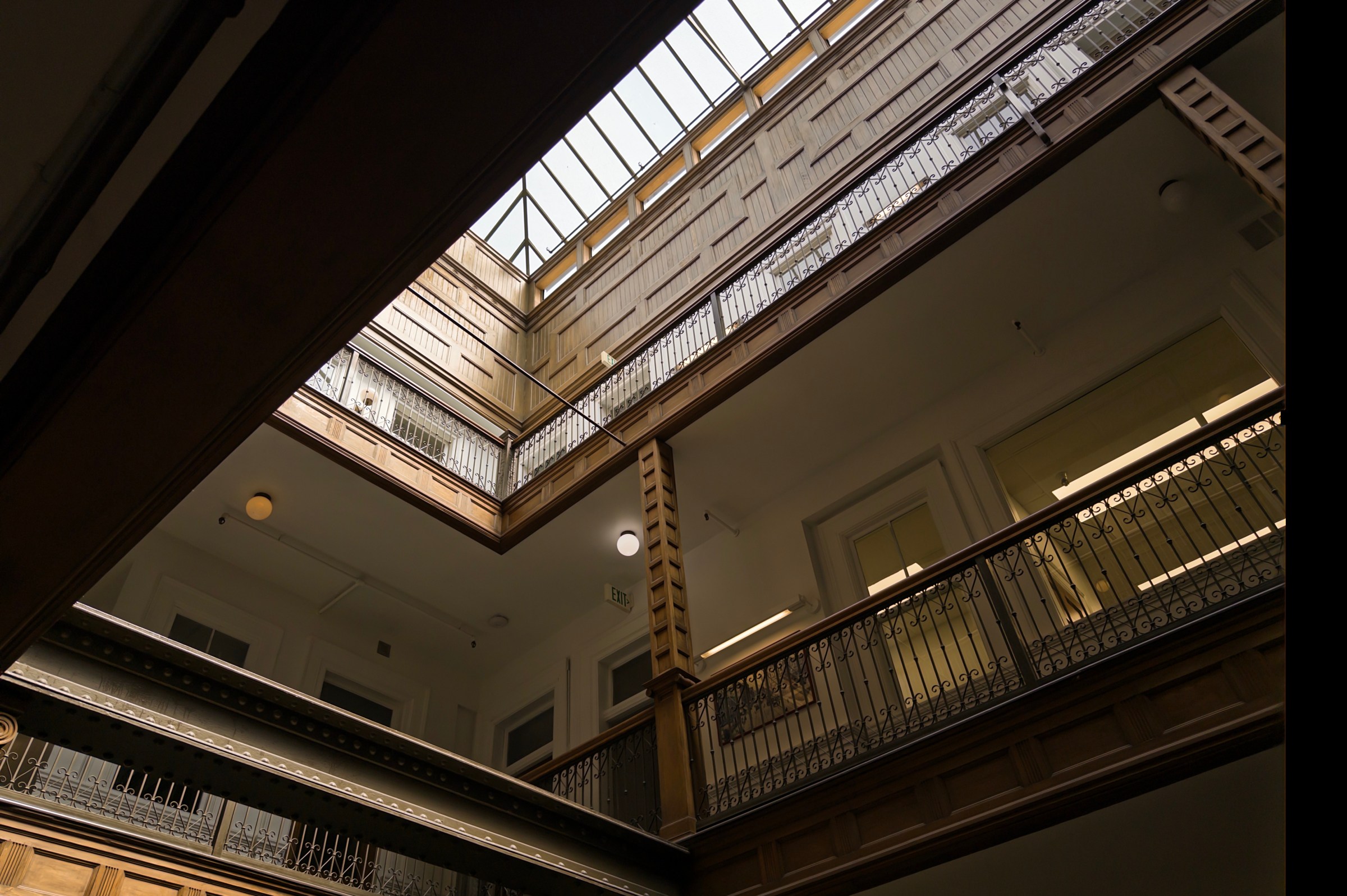
I especially like how Indigo handles high-contrast scenes indoors. White balance is slightly warmer than the standard iPhone look, and Indigo lets shadows be shadows, where the iPhone prefers to brighten them up. It’s a whole mood, and I love it. High-contrast scenes outdoors tend toward a brighter, flat exposure, but the RAW files offer a ton of latitude for bringing back contrast and pumping up the shadows. I don’t usually bother shooting RAW on a smartphone, but Indigo has me rethinking that.
Whether you’re shooting RAW or JPEG, Indigo (and the iPhone camera, for that matter) produces HDR photos — not to be confused with a flat, HDR-ish image. I mean the real HDR image formats that iOS and Android now support, using a gain map to pop the highlights with a little extra brightness. Since Indigo isn’t applying as much brightening to your photo, those highlights pop in a pleasant way that doesn’t feel eye-searingly bright as it sometimes can using the standard camera app. This is a camera built for an era of HDR displays and I’m here for it.
According to the blog post, Indigo captures and merges more frames for each image than the standard camera app. That’s all pretty processor-intensive, and it doesn’t take much use to trigger a warning in the app that your phone is overheating. Processing takes more time and is a real battery killer, so bring a battery pack on your shoots.
It all makes me appreciate the job the native iPhone camera app has to do even more. It’s the most popular camera in the world, and it has to be all things to all people all at once. It has to be fast and battery-efficient. It has to work just as well on this year’s model, last year’s model, and a phone from seven years ago. If it crashes at the wrong time and misses a once-in-a-lifetime moment, or underexposes your great-uncle Theodore’s face in the family photo, the consequences are significant. There are only so many liberties Apple and other phone camera makers can take in the name of aesthetics.
To that end, the iPhone 16 series includes revamped Photographic Styles, allowing you to basically fine-tune the tone map it applies to your images to tweak contrast, warmth, or brightness. It doesn’t offer the flexibility of RAW shooting — and you can’t use it alongside Apple’s RAW format — but it’s a good starting point if you think your iPhone photos look too flat.
There are only so many liberties Apple and any other phone camera maker can take in the name of aesthetics
Between Photographic Styles and ProRAW, you can get results from the native camera app that look very similar to Project Indigo’s output. But you have to work for it; those options are intentionally out of reach in the main camera app and abstracted away. ProRAW files still look a little crunchier than Indigo’s DNGs, even when I take them into Lightroom and turn sharpening all the way down. Both Indigo’s DNGs and ProRAW files include a color profile to act as a starting point for edits; I usually preferred Indigo’s warmer, slightly darker image treatment. It takes a little more futzing with the sliders to get a ProRAW image where I like it.
Project Indigo invites you into the usually mysterious process of taking a photo with a phone camera. It’s not an app for everyone, but if that description sounds intriguing, then you’re my kind of camera nerd.
Photography by Allison Johnson / noti.group
[Notigroup Newsroom in collaboration with other media outlets, with information from the following sources]