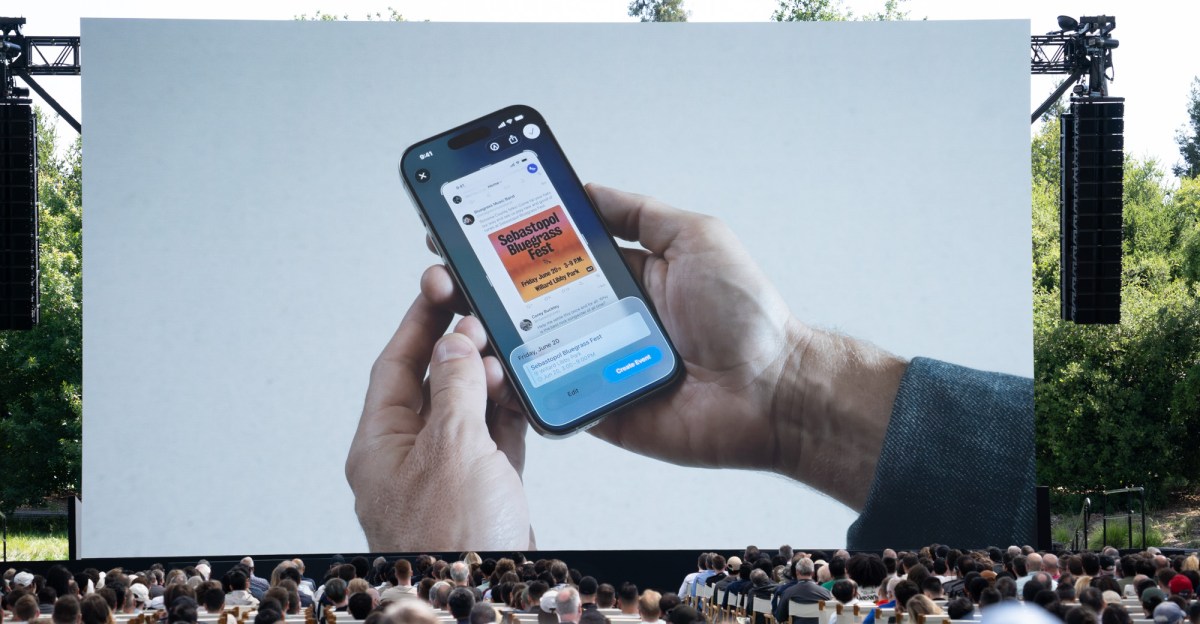
Apple’s AI capabilities have been less than impressive to date, but there’s one new feature coming with iOS 26 that’s actually really handy: adding stuff to your calendar with a screenshot.
I’ve been testing this feature out for the past few weeks in the developer beta, and I’m pleased to report that it works, easily making it my favorite Apple Intelligence feature so far. That’s admittedly a low bar to clear — and it’s not quite as capable as Android’s version — but it’s a nice change of pace to use an AI feature that feels like it’s actually saving me time.
Maybe adding things to your calendar doesn’t sound all that exciting, but I am a person who is Bad At Calendars. I will confidently add events to the wrong day, put them on the wrong calendar, or forget to add them at all. It’s not my finest quality.
The iOS version of “use AI to add things to your calendar” taps into Visual Intelligence. The ability to create calendar events based on photos was included in iOS 18, and now iOS 26 is extending that to anything on your screen. You just take a screenshot and a prompt will appear with the words “Add to calendar.” Tap it, and you’ll see a preview of the event to be added with the top-level details. You can tap to edit the event or just create it if everything looks good and you’re ready to move on with your life.
None of this would be useful if it didn’t work consistently; thankfully, it does. I’ve yet to see it hallucinate the wrong day, time, or location for an event — though it didn’t account for a time zone difference in one case. For the most part, though, everything goes on my calendar as it should, and I rejoice a little bit every time it saves me a trip to the calendar app. The only limitation I’ve come across is that it can’t create multiple events from a screenshot. It kind of just lands on the first one it sees and suggests an event based on that. So if you want that kind of functionality from your AI, you’ll need an Android phone.
Gemini Assistant has been able to add events based on what’s on your screen since August 2024, and it added support for Samsung Calendar last January. To access it, you can summon Google Assistant and tap an icon that says “Ask about screen.” Gemini creates a screenshot that it references, and then you just type or speak your prompt to have it add the event to your calendar. This has failed to work for me as recently as a couple of months ago, but it’s miles better now.
I gave Gemini Assistant on the Pixel 9 Pro the task of adding a bunch of preschool events, which were all listed at the end of an email, to my calendar, and it created an event for each one on the correct day. In a separate case, it also noticed that the events I was adding were listed in Eastern Time and accounted for that difference. In some instances, it even filled in a description for the event based on text on the screen. I also used Gemini in Google Calendar on my laptop, because Gemini is always lurking around the corner when you use literally any Google product, and it turned a list of school closure dates into calendar events.
This is great and all, but is this just an AI rebranding of some existing feature? As far as I can tell, not exactly. Versions of this feature already existed on both platforms, but in a much more basic form. On my Apple Intelligence-less iPhone 13 Mini, you can tap on a date in an email for the option to add it to your calendar. But it uses the email subject line as the event title, which is a decent starting point, but adding five events to my calendar with the heading “Preschool July Newsletter” isn’t ideal. Android will also prompt you to add an event to your calendar from a screenshot, but it frequently gets dates and times wrong. AI does seem to be better suited for this particular task, and I’m ready to embrace it.
[Notigroup Newsroom in collaboration with other media outlets, with information from the following sources]