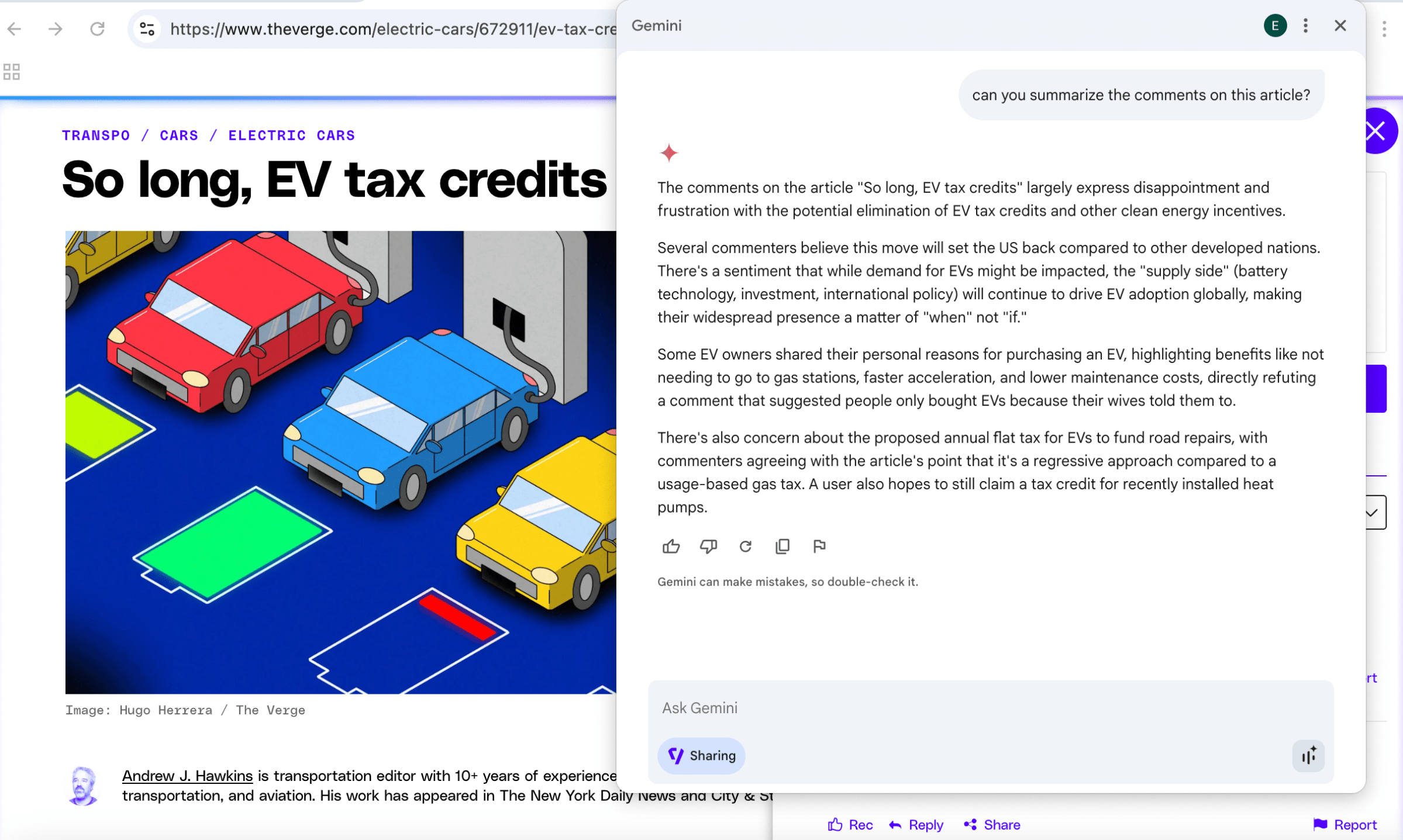
I spent my morning with Gemini in Chrome, the new integration that puts the AI-powered assistant right in your browser. Instead of going to the chatbot’s web app, you can click the new Gemini button in Chrome’s top-right corner to start a conversation — but the key difference is that the browser’s built-in assistant can “see” what’s on your screen while you navigate the web.
To me, Gemini’s integration in Chrome seems like just the start of Google’s mission to make its AI more “agentic,” as I found myself wanting it to do more than it actually could. For now, you can only try out the early access version of Gemini in Chrome if you’re an AI Pro or AI Ultra subscriber, and use either the Beta, Dev, or Canary version of Chrome.
I started out by using Gemini to summarize some of the articles on noti.group, as well as even find some gaming-related news on the homepage, where it pointed out the new Game Boy games Nintendo added to its Switch Online service, the upcoming Elden Ring film adaptation, and Valve’s massive Steam Deck update.
But Gemini can only “see” what’s on your screen, so I found that if you want it to summarize certain elements, like noti.group’s comments section, you’ll need to make it visible before the chatbot can provide a response. Gemini will follow you when you switch tabs, too, but it can only pull information from one at a time.
If you don’t feel like typing, Gemini in Chrome also lets you switch to its “Live” feature by selecting the button in the bottom-right corner of the dialogue box. From there, you can simply ask a question out loud, and Gemini will respond by speaking to you.

I found this especially useful to use alongside YouTube videos, where I cued up a bathroom remodeling video and asked, “What tool is he using?” Gemini responded, “It looks like he’s using a nail gun to fasten some wood pieces together.” In another video, Gemini correctly identified a capacitor on a motherboard, along with the tweezers and hot air tool the YouTuber used to remove it. It can summarize videos and tell you about specific parts you haven’t watched as well, but I found that this isn’t always accurate if a video doesn’t have labeled chapters that it can draw information from.
Probably my favorite use case for the integration is having Gemini pull recipes from YouTube videos, so I didn’t have to write the recipes down myself or search for a link in the description. It also came in handy when I asked it to point out the waterproof bags on an Amazon search page.

Gemini wasn’t always consistent, though. When I asked Gemini where MrBeast is during a video of him exploring ancient Mayan cities, including Chichén Itzá, it replied, “I don’t have access to real-time information, so I can’t pinpoint MrBeast’s exact current location.” When I asked it again, it responded with the location listed in the video’s description: Mexico. Another time, I asked Gemini for a link to buy a specific pair of pliers shown in a video, but Gemini again told me that it didn’t “have access to real-time information, including product listings or store inventories.” However, Gemini provided me with links to other products when prompted.
At times, I felt that Gemini’s responses were just too long for just a little pop-up window in Chrome. You can extend it, but it doesn’t leave much room on my MacBook Air’s 13-inch display. Plus, one of AI’s main selling points is that it’s supposed to help you save time by providing quick and concise answers, which it doesn’t always do unless I specifically ask for that. Gemini’s follow-up questions, like whether I would like to know more about a particular topic, also got a bit repetitive.
Even with these hiccups, I can easily see Google extending Chrome’s Gemini integration beyond just simple questions and answers. Google wants its AI to become “agentic,” meaning it can perform tasks on your behalf, and Gemini in Chrome seems poised to one day adopt these kinds of features. After asking Gemini to summarize a restaurant’s menu, for example, I even thought about asking it to place a pickup order — an agentic task it just can’t do yet. In the future, I could even see it coming in handy by having it bookmark pages related to travel research for me, or maybe even finding and saving YouTube videos of different recipes to my Watch Later playlist.
Google seems like it’s getting closer to making that a reality with Project Mariner’s “Agent Mode” coming to the Gemini app, which will allow it to manage up to 10 tasks at once and search the web for you — and maybe one day, it will bring these capabilities to Gemini in Chrome, too.
[Notigroup Newsroom in collaboration with other media outlets, with information from the following sources]